
Recruiter Portfolio: Your Free Professional Page

When a company considers giving you a search, the first thing it does is open your LinkedIn. There it finds your work history, but not what it needs to decide: which profiles you cover, which countries you have recruited in, how you work and how your services are hired. A recruiter portfolio puts all of that on one page with your name, a page you can send in a single message.
With Hilancer you build it for free at hilancer.io/r/new, from your CV, in a few minutes. Here is what it includes, how to build it step by step and how to get the most out of it, with the portfolio of Daniela Corvalán, IT recruiter and Hilancer co-founder, as an example.
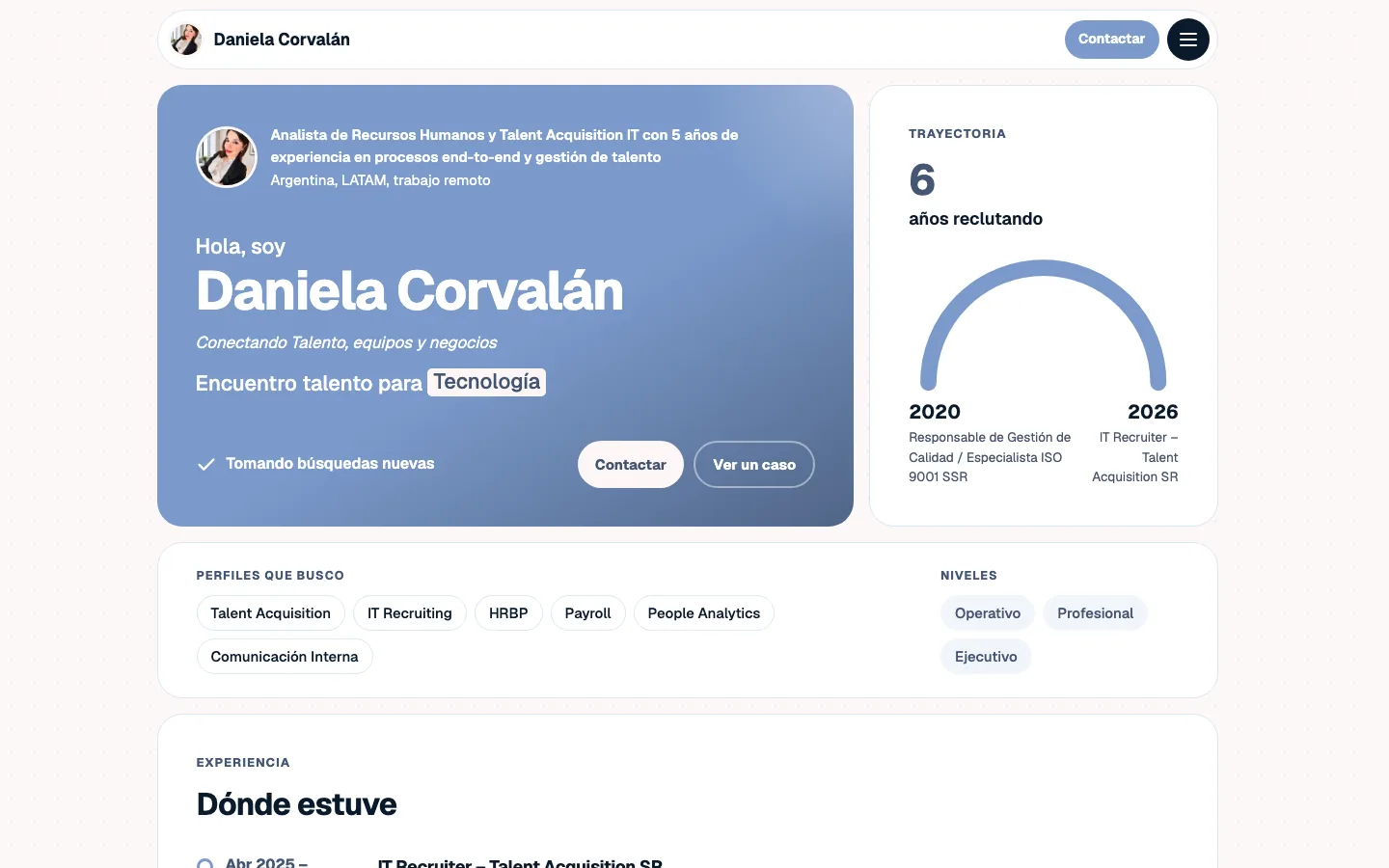
How it differs from your LinkedIn
LinkedIn works like a public CV: it lists where you worked, in order. A portfolio is built for the person who has to choose who gets a search. Instead of a list of jobs, it answers that person's questions: whether you know their industry, whether you have recruited in their country, whether you have filled similar roles and what working with you looks like.
It does not replace LinkedIn; it complements it. Your portfolio link goes on your profile, in your email signature and in every reply to a company that reaches out.
What it includes
- Introduction: your name, your photo, one line that sums up what you do, and whether you are taking new searches.
- Profiles and levels: the profiles you recruit (for example, engineering, sales or finance) and the levels you cover, from entry level to executive.
- Track record: how many years you have been recruiting and where you have worked.
- Countries: a globe with the countries where you have run searches, up to 12.
- A featured case: one search told in three parts: the challenge, how you approached it and the result.
- Services: up to three, each with how it is hired: success fee, fixed fee, monthly retainer, hourly or to be agreed. No prices are published; you discuss the amount with each company.
- Skills and background: languages, skills, certifications, education and projects.
- Contact form: companies write to you from the page and the message reaches your inbox. Your email and phone number are never published.
- Colors: 14 color combinations to pick the one that fits you.
Sections you leave empty do not show up, so the page never has gaps.
How to build it in 5 steps
1. Upload your CV, or start without one. The file is read in your browser and only the text is sent, without your email or phone number, to fill in your experience, education, skills and languages. The file is not stored.
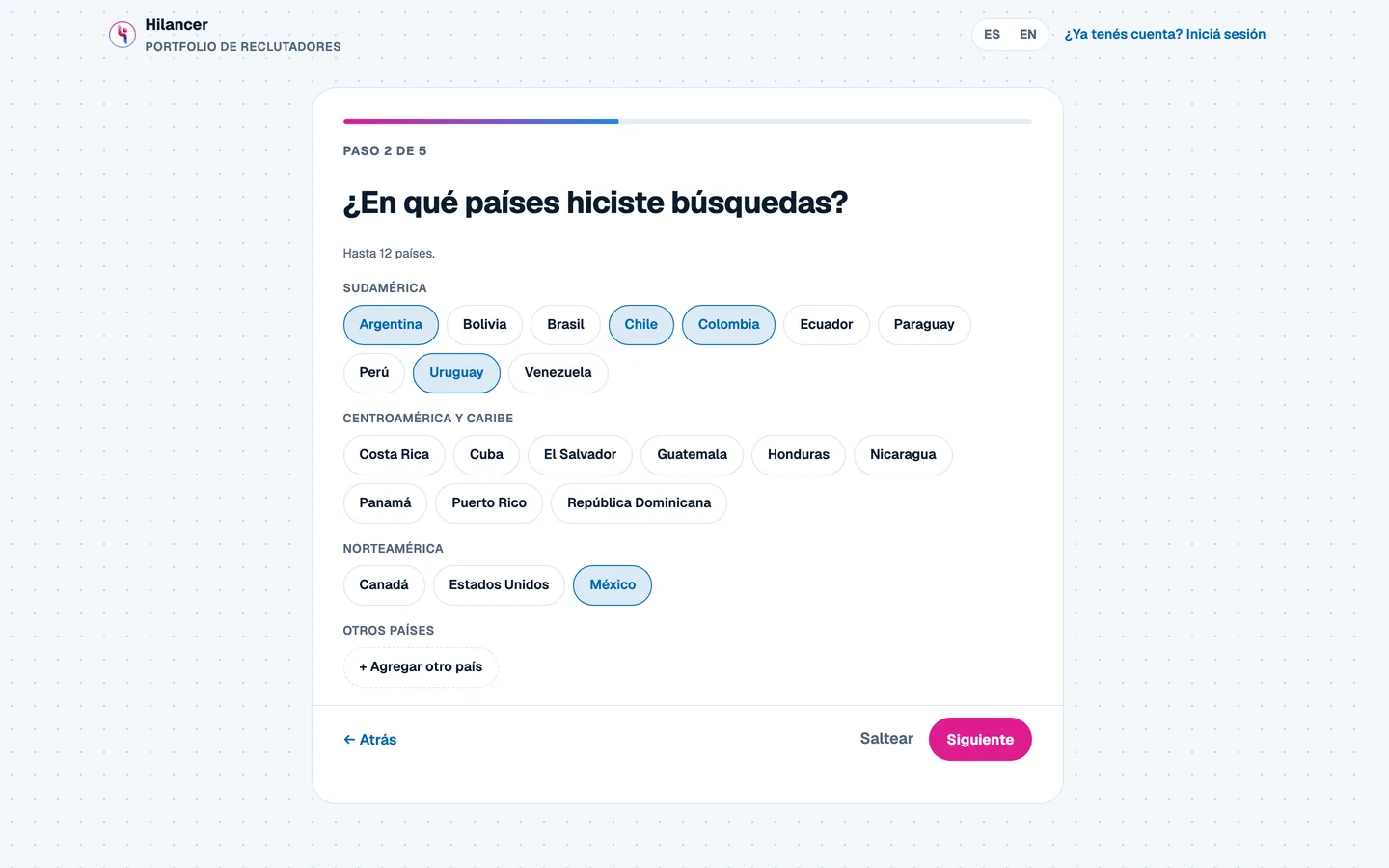
2. Pick the countries where you have run searches. They are grouped by region, and you can add any that is missing.
3. Tell one search you are proud of. It is optional, but it is what convinces the most: the challenge, how you solved it and a concrete result.
4. Choose your services and how each one is hired. There are one-click suggestions and you can write your own.
5. Review the preview. You fill in your name, your one-line introduction, your LinkedIn, the colors and your page address (hilancer.io/r/your-name), and you see the real page while you build it.
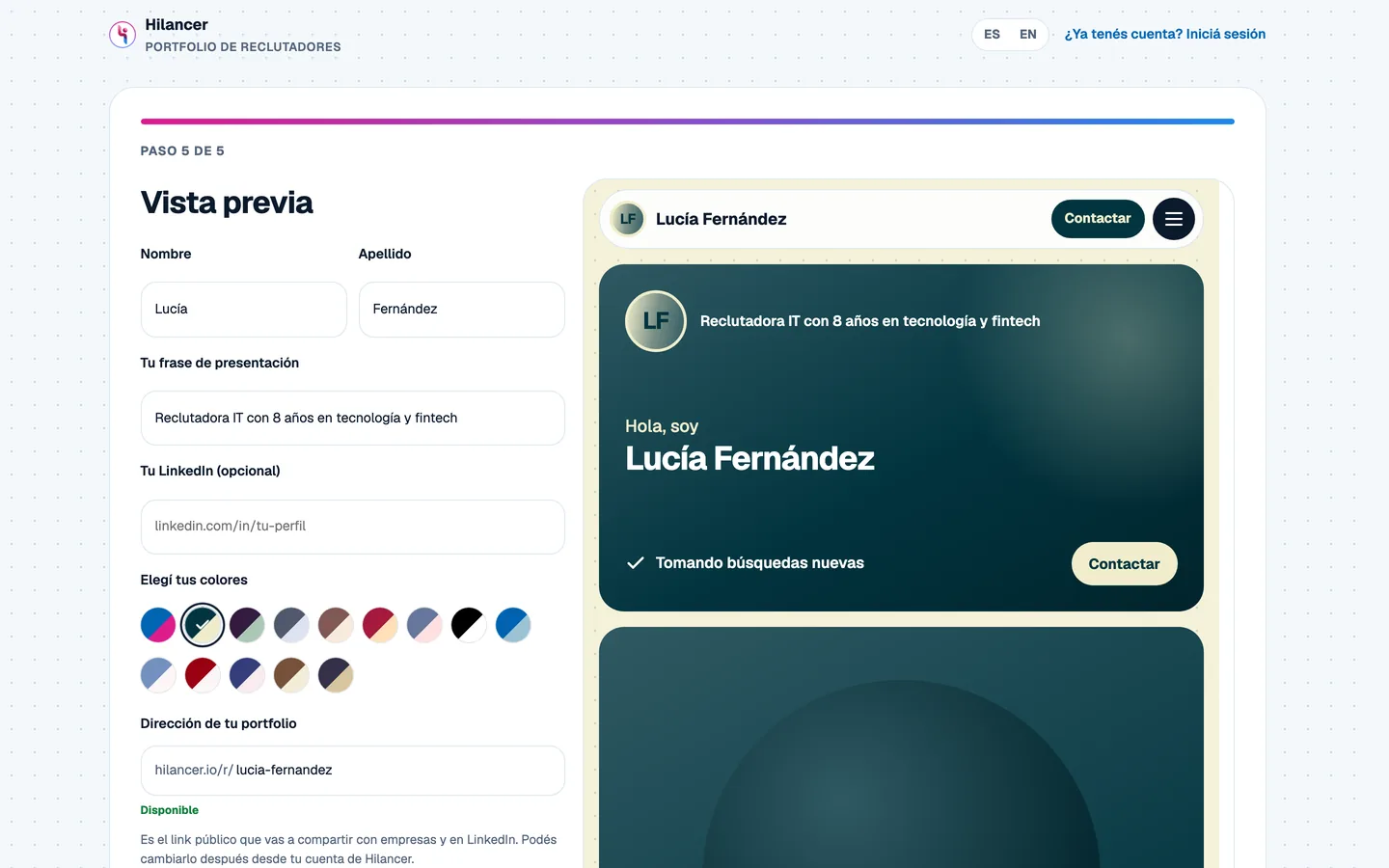
At the end you create your account with your email, confirm it with a code, and your portfolio is published. After that you edit it whenever you want from your Hilancer account: upload your photo, change the address or add certifications.
How to get the most out of it
- A concrete headline. "IT recruiter with 8 years in fintech" says more than "passionate about talent". Specialty, industry and years are enough.
- A case with a real figure. Time to fill, number of hires, or how many are still with the company a year later. If you do not have the number, describe the result in words; just never make it up.
- A professional photo. The editor includes a ready-made prompt to ask ChatGPT for a studio-style photo based on one of your own.
- Share it. In the Featured section of your LinkedIn, in your email signature and whenever a company asks for references. When you paste the link on LinkedIn or WhatsApp, it shows a card with your name and photo.
- Keep it current. Every search you close can become your next featured case.
If you are working on your personal brand, this guide has more ideas for everything around the portfolio.
If you are just starting out
You do not need ten years of experience for a portfolio to help. If you are studying or have run your first searches, focus on your education, certifications, internships and the profiles you want to cover. The featured case and the countries are optional; add them when you have them. And if you are thinking about working on your own, this guide to becoming a freelance recruiter is a good starting point.
Frequently asked questions
Is it free?
Yes. Building and publishing your portfolio costs nothing and does not ask for a card.
Do I need a Hilancer account?
It is created in the last step, with your email and a verification code. If you already have an independent recruiter account, you build it from your account.
What happens to my CV?
It is read in your browser. Only the text travels, without your email or phone number, to fill in the form, and the file is not stored.
Can companies see my email or phone number?
No. They write to you through the form on the page and the message reaches your inbox. You decide whether to reply.
Can I change my page address later?
Yes, from your Hilancer account, as long as the new address is available.
Build yours
Your next client company will look for something to help it decide. Make sure it finds a page that shows what you do.
Related articles
Recruiter Portfolio: Your Free Professional Page
When a company considers giving you a search, your LinkedIn shows your history, not what it needs to decide. What a recruiter portfolio should include, how to build one for free in five steps from your CV, and a real example.
Claude for Recruiters: What You Can Ask Your ATS (MCP)
You hang up with a candidate and, instead of opening five screens, you tell Claude: the note lands in her process and the interview gets booked. What an MCP is in plain words, what you can ask for depending on the time of day, and how to connect it in two minutes.
Hilancer vs Manatal: Per-Seat ATS or a Free Plan?
Manatal is a mature generalist ATS with AI on every plan; Hilancer is an ATS + CRM for independent recruiters with a free-forever plan. Verified pricing and limits so you can decide with facts.