
ATS for independent recruiters
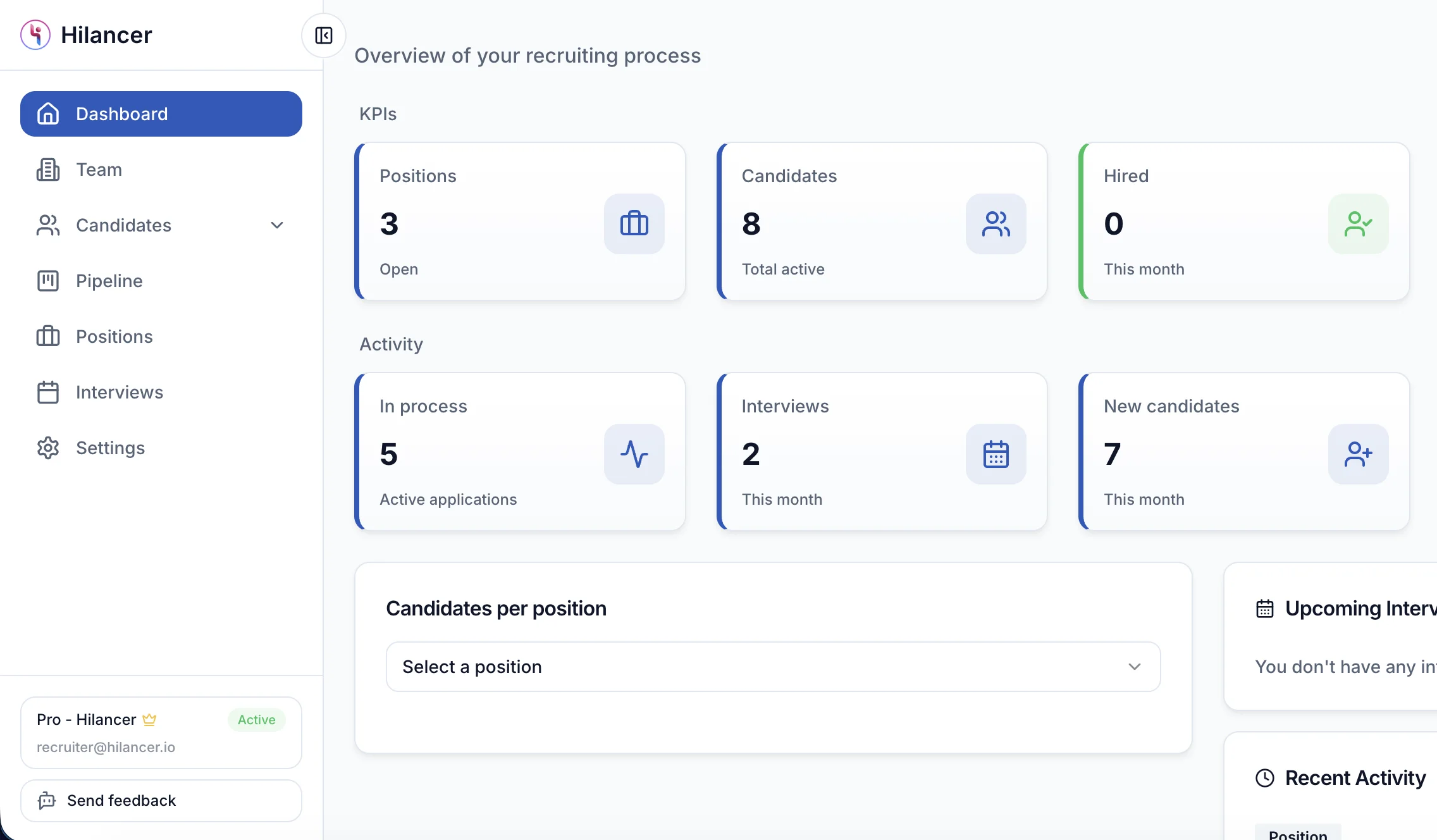
You run searches for several clients at once and there's no team to keep the process in order. Hilancer puts your candidates in one pipeline per search, tells them which stage they're in, and you can start for free.
14 days of Pro for free. After that you can stay on the free plan: one active search, unlimited candidates and 30 AI credits a month.
If you recruit on your own, this sounds familiar
01
Candidates spread across five places
The CV in your inbox, the chat on WhatsApp, the status in a spreadsheet. When the client asks how the search is going, the answer takes a while.
02
Applicants who never hear back
You want to tell everyone how it went, but with three open searches you can't keep up, and the person left waiting remembers your name.
03
Tools built for large companies
Corporate ATS charge per user and per module, and assume an HR department you don't have.
What you'll use every day
A tool for one person working for several clients, without modules you'll never open.
One pipeline per search
Each position carries its client's name and uses the pipeline you built, with your stages. There's one candidate base, and you reuse it from search to search.
- Stages shaped for each search
- The client's name on every position
- One candidate base, no duplicates by email
AI to review CVs
It summarizes each CV and compares it with the position. You can also search your base by typing what you need, and it recommends candidates for each search.
- A summary of each CV with its match
- Search your base by typing what you need
- Candidates from your base recommended for each search
Automatic candidate updates
You choose which stages candidates see, and those send them an email. They also get a dashboard to follow their applications.
- You choose which stages candidates see
- Rejections are always notified
- A dashboard with the status of each application
And also
A jobs page with your logo
Your open searches on your own portal, each with its application form and a page ready for Google for Jobs.
Interviews with Google Calendar
When scheduling you see your busy slots, and the interview is created in your calendar with a Meet link.
Start without paying
The free plan doesn't expire: one active search at a time, unlimited candidates and 30 AI credits a month.
Import LinkedIn profiles in one click
Find a candidate on LinkedIn and add them to your Hilancer database instantly, no copy-paste. The extension saves the name, role and profile details for you.
- One click from any LinkedIn profile
- Pulls name, role and details automatically
- Without leaving LinkedIn or breaking your flow

Emily Carter
Frontend Developer
About
Frontend Developer with 5 years of experience in React and TypeScript. Passionate about building accessible, performant interfaces.
Add to Hilancer
linkedin.com/in/emily-carter
How you get started
Create your account and first search
Add the position, the client and the pipeline it will use.
Add candidates
Upload PDF or DOCX CVs, bring them from Google Drive, save LinkedIn profiles with the Chrome extension or receive applications on the search page.
Move candidates and Hilancer lets them know
Whenever someone moves to a visible stage they get an email, and you move on to the next interview.
What recruiters using Hilancer say
Freelance recruiters and agencies that already transformed the way they work.
The Chrome extension is great, I just tried it and it's super handy. And being able to share a candidate's report with the client is fantastic, it looks so much more professional.

Arlena Heguiabehere
Leading AR
As you grow in clients and openings —a client can ask you for five roles at once— managing candidates and keeping everyone in the loop gets complex. Something like this was needed.

Daniel Inca
INVA RH
It's a really intuitive, organized and automated tool, ideal when you have lots of openings and for organizing your database. Highly recommend it!

Melisa Rivara
Tech Recruiter
Very useful app. Keeps getting updated with new features regularly, which shows the team is actively working on it.

Camila Correa Soto
Tech Recruiter
An ATS for people who recruit on their own
As an independent recruiter, your week mixes searches for different clients, each with its own process. Hilancer is built for that: one candidate base you reuse across searches, a pipeline per position and the client's name on each one so nothing gets mixed up.
Imports detect duplicates by email, so the same candidate can be in several searches without showing up twice in your base.
Add candidates without copy and paste
Upload CVs in PDF or DOCX and the AI reads them to fill in the profile. You can also bring them from Google Drive, save a LinkedIn profile with the Chrome extension or receive applications on each search's public page.
The extension works on every plan, including the free one, and won't duplicate a candidate who's already in your base.
Protect your name with every applicant
When you move someone to a visible stage, Hilancer emails them. You decide which stages candidates see, and rejections are always notified, so nobody is left waiting.
Candidates also get a dashboard with the status of each application. Emails go out under your name, and on Pro you can add your signature.
What the free plan includes and what Pro adds
The free plan gives you one active search at a time, unlimited candidates and 30 AI credits a month. That's enough to try Hilancer with a real client.
Pro adds unlimited AI, an email signature, process metrics (stage funnel, time in each stage, time-to-fill, candidate sources and rejection reasons) and the Claude connection.
FAQ for independent recruiters
Does Hilancer work if I recruit on my own?
Yes. It's built for independent recruiters running searches for several clients. You start on the free plan and move to Pro when you need it.
What are the free plan's limits?
One active search at a time, unlimited candidates and 30 AI credits a month. The email signature and advanced metrics are part of Pro.
Can I import the candidates I already have?
Yes. Upload PDF or DOCX CVs and the AI fills in the profile, or bring them from Google Drive. From LinkedIn you save them with the Chrome extension. If the email is already in your base, it isn't duplicated.
What does the candidate receive?
An email every time they move to a stage you marked as visible, and always when you reject them. They also get a dashboard showing the status of their applications.
What does the AI do?
It summarizes each CV and compares it with the position, lets you search your base by typing what you need and recommends candidates from your base for each search.
Try it on your next search
Create a free account, add the search, and your candidates live in one pipeline instead of three apps.